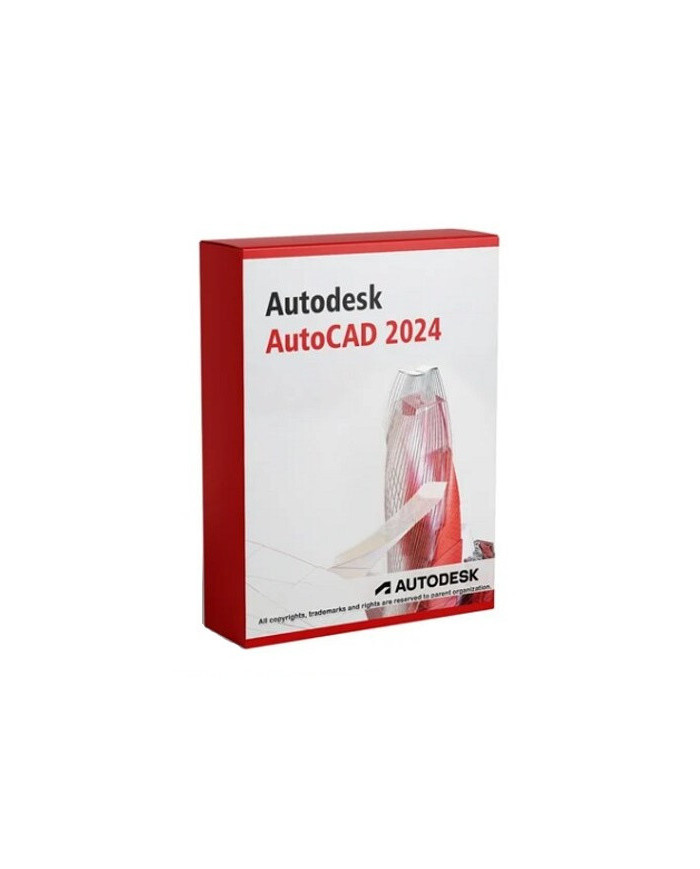
Autodesk AutoCAD 2025 1 rok - 1 stanowisko KLUCZ
Autodesk AutoCAD 2025 to jedno z najnowocześniejszych i wszechstronnych narzędzi CAD, które umożliwia precyzyjne projektowanie w formacie 2D i 3D. Jest idealnym rozwiązaniem dla architektów, inżynierów oraz projektantów technicznych. AutoCAD 2025 oferuje potężne narzędzia do tworzenia rysunków, projektów oraz dokumentacji technicznej, ułatwiając prace w różnych dziedzinach przemysłu.
Kluczowe funkcje produktu:
✔️ Kompatybilność: Działa na systemach Windows 7, 8.1, 10, 11 (wszystkie wersje).
✔️ Okres ważności: Licencja ważna przez 1 rok od momentu aktywacji.
✔️ Samodzielna aktywacja: Wymaga założenia konta Autodesk w celu aktywacji klucza.
✔️ Język interfejsu: Obsługuje angielski oraz inne języki.
✔️ Aktualizacje: Pełny dostęp do aktualizacji przez cały okres licencji.
✔️ Kompatybilność systemowa: Obsługuje systemy 32-bitowe i 64-bitowe.
✔️ Typ licencji: ESD (Elektroniczna Dostawa Oprogramowania).
✔️ Liczba stanowisk: Licencja przypisana do 1 stanowiska pracy.
✔️ Moduły projektowe: Kompleksowe narzędzia do projektowania 2D/3D.
Funkcje i wymagania systemowe
AutoCAD 2025 działa na szerokim zakresie systemów operacyjnych, takich jak Windows 7, 8.1, 10, 11. Licencja jest ważna przez 1 rok od aktywacji, zapewniając dostęp do najnowszych aktualizacji i poprawek przez cały ten okres.
![Autodesk-AutoCAD-2025-1-rok-1-stanowisko-KLUCZ_[2576]_696.jpg](/img/cms/Autodesk-AutoCAD-2025-1-rok-1-stanowisko-KLUCZ_%5B2576%5D_696.jpg)
Autodesk AutoCAD 2025 to flagowy program do projektowania komputerowego CAD, używany przez miliony profesjonalistów na całym świecie. Niezależnie od tego, czy jesteś architektem, inżynierem budownictwa, mechanikiem, elektrykiem, czy projektantem wnętrz, AutoCAD 2025 oferuje wszechstronne narzędzia, które pomogą Ci w tworzeniu zarówno zaawansowanych rysunków technicznych, jak i modeli 3D. Dzięki temu oprogramowaniu masz możliwość dokładnego planowania i projektowania w różnych branżach technicznych i przemysłowych w licencji edukacyjnej.
AutoCAD od lat jest standardem w świecie projektowania. Wersja 2025 przynosi szereg nowych funkcji, usprawnień oraz możliwości, które zostały stworzone z myślą o tym, aby praca projektantów była bardziej wydajna i precyzyjna. Licencja na 1 stanowisko i 1 rok użytkowania daje Ci pełny dostęp do najnowszych narzędzi oraz aktualizacji, co oznacza, że zawsze korzystasz z najnowszej technologii dostępnej na rynku.
Informacje: Dla wersji MacOs jest dostępna wersja w języku angielskim, nie ma wersji polskiej dostępnej.
Rodzaj: Edukacyjna - koszt wersji rocznej komercyjnej na stronie autodesk wynosi 10 240 zł.
Kluczowe opcje programu AutoCAD 2025:
1. Tworzenie rysunków 2D
AutoCAD 2025 oferuje zaawansowane narzędzia do tworzenia szczegółowych rysunków 2D. To właśnie w tym aspekcie program stał się liderem na rynku, umożliwiając precyzyjne projektowanie rysunków technicznych, planów budowlanych oraz schematów inżynieryjnych. Możliwość skalowania, oznaczania i wymiarowania elementów to kluczowe funkcje, które zapewniają dokładność projektów.
2. Modelowanie 3D
Pakiet AutoCAD 2025 pozwala również na tworzenie zaawansowanych modeli 3D, które dają pełny wgląd w projektowany obiekt. Narzędzia do modelowania 3D pozwalają na realistyczne odwzorowanie zarówno detali architektonicznych, jak i elementów mechanicznych. Możesz tworzyć bryły, powierzchnie, siatki oraz edytować kształty, co czyni projektowanie bardziej wszechstronnym i dynamicznym.
3. Dokumentacja techniczna
AutoCAD 2025 pozwala na tworzenie kompletnej dokumentacji technicznej projektu, co jest niezbędne na wszystkich etapach pracy – od projektowania po realizację. Dzięki funkcji automatycznego generowania rzutów, przekrojów i widoków detali, możesz szybko i efektywnie dostosowywać swoje plany do wymagań klienta lub zespołu projektowego.
4. Chmura punktów
Dzięki funkcji obsługi chmury punktów, AutoCAD 2025 umożliwia importowanie i przekształcanie danych pochodzących ze skanów 3D. To idealne rozwiązanie, gdy potrzebujesz pracować z danymi rzeczywistymi i tworzyć precyzyjne modele na podstawie istniejących obiektów. Integracja z chmurą punktów znacząco przyspiesza proces projektowania oraz poprawia jakość odwzorowania obiektów.
5. Współpraca w chmurze
AutoCAD 2025 integruje się z usługami chmurowymi, takimi jak Autodesk Drive oraz Autodesk Docs, co umożliwia współpracę zespołową w czasie rzeczywistym. Wszyscy członkowie zespołu mogą przeglądać, edytować i komentować projekty bezpośrednio z chmury, co ułatwia komunikację oraz przyspiesza realizację projektów. Dzięki temu wszystkie zmiany wprowadzane w projekcie są dostępne natychmiast dla całego zespołu.
6. Personalizacja interfejsu
Jednym z kluczowych atutów AutoCAD 2025 jest możliwość personalizacji interfejsu według własnych potrzeb. Użytkownicy mogą dostosowywać paski narzędzi, makra i skróty klawiszowe, aby maksymalnie zoptymalizować swój proces pracy. Dzięki temu AutoCAD staje się jeszcze bardziej wydajnym narzędziem, idealnie dopasowanym do indywidualnych preferencji użytkownika.
7. Wsparcie dla plików DWG
AutoCAD 2025 obsługuje format DWG, który jest standardem w branży CAD. Dzięki temu wszystkie rysunki i modele są zapisane w formacie, który jest powszechnie uznawany i kompatybilny z innymi oprogramowaniami. Program oferuje także zaawansowane narzędzia do porównywania i analizy plików DWG, co ułatwia śledzenie zmian w projekcie.
8. Bloki dynamiczne i paleta narzędzi
AutoCAD 2025 pozwala na korzystanie z bloków dynamicznych, które znacząco przyspieszają proces tworzenia powtarzalnych elementów w projekcie. Możesz łatwo tworzyć elementy konstrukcji, meble, okna, drzwi czy inne powtarzalne obiekty, które można dynamicznie dostosowywać do bieżących potrzeb projektowych. Paleta narzędzi z kolei umożliwia szybki dostęp do często używanych elementów, co znacznie zwiększa efektywność pracy.
9. Zaawansowane narzędzia do annotacji
AutoCAD 2025 wyposażony jest w funkcje umożliwiające dodawanie annotacji, wymiarów, opisów oraz symboli technicznych bezpośrednio na rysunkach. Dzięki temu, w każdym etapie projektu, łatwo jest zapewnić jasność oraz spójność dokumentacji technicznej, co jest kluczowe dla realizacji projektu na najwyższym poziomie.
Często zadawane pytania (FAQ)
Jak długo ważna jest licencja na AutoCAD 2025?
Licencja AutoCAD 2025 jest ważna przez 1 rok od momentu aktywacji klucza. W tym okresie użytkownik ma pełny dostęp do wszystkich funkcji oraz aktualizacji programu.
Czy AutoCAD 2025 jest kompatybilny z systemem macOS?
Nie, AutoCAD 2025 dla macos posiada ograniczenie do języka angielskiego.
Czy mogę używać AutoCAD 2025 na więcej niż jednym stanowisku?
Nie, licencja AutoCAD 2025 jest przypisana do jednego stanowiska. Każda dodatkowa instalacja wymaga zakupu osobnej licencji.
Czy AutoCAD 2025 oferuje wsparcie techniczne i aktualizacje?
Tak, użytkownicy mają pełny dostęp do wsparcia technicznego oraz aktualizacji przez cały okres trwania licencji, co zapewnia stabilność i ulepszenia oprogramowania.
Jakie są wymagania systemowe dla AutoCAD 2025?
AutoCAD 2025 działa na systemach Windows 7, 8.1, 10, 11 oraz macOS. Program obsługuje systemy 32-bitowe i 64-bitowe, co sprawia, że jest elastyczny w użytkowaniu na różnych platformach.