

Windows 10 or Windows 11? Is it worth upgrading to the new operating system in 2025?
- Jan 2, 2025
- List of blogs
- 0 Comments
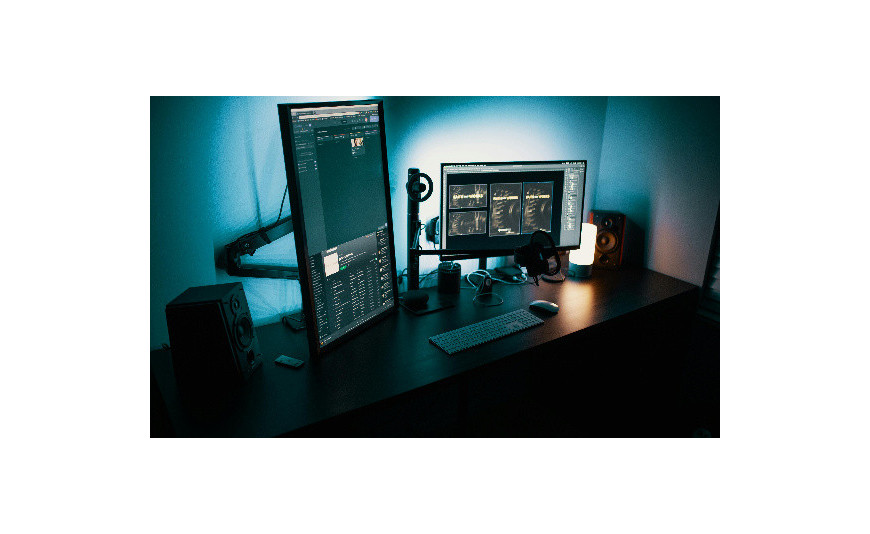
In October 2025, Microsoft will end support for Windows 10. What does this mean for you? Your computer will continue to work, but without security updates, it will become vulnerable to attacks. That’s why it’s worth considering now whether to stick with the older system or switch to Windows 11. Learn the differences between the two systems and make the right decision before it’s too late.
Windows 10 or 11 – time to decide
October 14, 2025 – Microsoft has set this date as the end of support for Windows 10. After this date, you will no longer receive any updates or new features. While your computer will still start up as usual, you will be more vulnerable to hackers.
Do you need to rush to install Windows 11? Fortunately, no. You have until October to plan everything out at your own pace. The new version of the operating system runs more smoothly and securely, but it also requires more powerful hardware.
What about your favorite programs? Microsoft has made sure that almost all Windows 10 apps also work on the newer version. However, before you decide to upgrade, make sure your computer meets the technical requirements for Windows 11. Not every device can handle the new operating system.
Windows 10 vs. Windows 11 – System Requirements
Wondering if your computer can run Windows 11? Microsoft has raised the bar a bit compared to Windows 10. Here’s what you need:
- a 1 GHz processor with at least 2 cores (64-bit);
- 4 GB of RAM;
- 64 GB of storage space;
- a graphics card compatible with DirectX 12;
- HD display (720p).
Windows 11 has introduced a mandatory requirement for a TPM 2.0 module— a chip responsible for system security. In older versions of Windows, it was an optional feature, but now it’s essential. Fortunately, most computers manufactured after 2018 come equipped with a TPM.
How can you check if your computer is ready for Windows 11? Microsoft has developed the PC Health Check tool, which will immediately show you which components of your hardware need to be upgraded.
Don't worry—if your computer doesn't pass the compatibility test, you have until October to buy a new one or upgrade your current one.
Windows 11 vs. 10 – the new interface
Your first encounter with Windows 11 might surprise you. The Start menu and app icons have moved from their traditional spot on the left to the center of the taskbar. All windows now have rounded corners. The taskbar also features widgets that you can customize to your liking, including:
- a calendar of upcoming events;
- current weather in your location;
- stock market quotes;
- personalized messages;
- photos from OneDrive.
The classic ribbon in File Explorer has been replaced by a new, simplified interface featuring the most important options. The buttons are larger and easier to read, which you’ll especially appreciate on touchscreens.
Microsoft has also improved integration with apps. Teams now runs directly from the taskbar, and the revamped Microsoft Store makes it easier to find apps. The system handles multiple monitors more efficiently—most notably, it remembers window layouts for different display configurations.
Windows 11 – Is it worth it?
Will Windows 11 actually make your daily work more efficient? The new operating system introduces a number of changes that you’ll notice especially when gaming and working remotely.
Games on Windows 11 and Windows 10 work similarly. Thanks to DirectStorage, games load instantly because the SSD communicates directly with the graphics card. Auto HDR, on the other hand, makes older titles look more vibrant and realistic. You’ll find these features in both older and newer versions of the system—in Windows 11, they’re simply enabled by default and better optimized.
Once Teams is integrated with the system, you can manage your conversations right from the taskbar, without needing any additional apps. When you’re working on your laptop, the system will remember your window layout and automatically restore it when you connect an external monitor.
With the new Snap Layouts, you can quickly split your screen between multiple apps. When you hover over the maximize button, you’ll see pre-designed templates. This is especially useful when:
- you work with many documents;
- you compare data;
- you watch the broadcast while working;
- you copy content between programs;
- you check social media.
Windows 11 – Reviews
How does Windows 11 perform more than three years after its release? Users confirm that the system runs smoothly, rarely crashes, and boots up faster than Windows 10. Microsoft has optimized compatibility with the latest Intel Core processors, on which the system performs at its best.
However, not everyone is thrilled with the new system. Most complaints concern the taskbar—users can’t move it to the sides of the screen or resize the icons. Microsoft has announced that it will restore these options in future updates, but hasn’t yet revealed a specific date for the fix.
Microsoft has completely revamped its app store. The new interface makes it easy to find the apps you need, and thanks to a partnership with Amazon, mobile apps are now available in the store as well.
Windows 10 vs. Windows 11 – Security
Windows 11 has introduced a number of security changes. The most important of these is the TPM 2.0 module, which encrypts data on the drive—so even if your laptop is stolen, no one will be able to access it.
In addition, the new system is better at handling viruses. When you try to install something from outside the official store, it first checks whether the program is safe. Suspicious apps are blocked immediately.
Security updates now install in the background —you can keep working while the system handles the updates on its own. This is a big change from older versions of Windows, where you often had to stop what you were doing and restart your computer.
Along with these updates, Microsoft has also improved Windows Hello, which now performs better at recognizing faces and fingerprints. Its integration with TPM makes it even harder to fool the system.
Microsoft is currently focusing primarily on developing Windows 11. In less than a year, support for Windows 10 will end, and only the newer version will receive security updates.
Windows 10 or 11 – time to decide
If your computer is less than 4–5 years old, it will likely run Windows 11 without any issues. The operating system runs smoothly on 8th-generation Intel Core processors and newer, as well as AMD Ryzen 2000 series processors and newer.
Don’t forget about software—Windows 11 works best with the latest versions of Office. You still have some time before Windows 10 support ends in 2025, but it’s a good idea to start preparing for the upcoming changes. So check out our selection of Windows 11 systems and Office suites!
FAQ – Frequently Asked Questions
- Do I need to upgrade to Windows 11?
Technically, you don’t have to, but after October 2025, Windows 10 will no longer receive security updates. And using an unprotected system leaves your data vulnerable to hacker attacks.
- What will happen to my files and programs after I upgrade to Windows 11?
During the update, all your files and most of your programs will remain in place. Microsoft has ensured that applications are backward compatible. Still, it’s a good idea to back up your data before upgrading your operating system.
- Can I go back to Windows 10 if I don't like Windows 11?
Yes, you can easily revert to Windows 10 within 10 days of the update. After that, you'll need to perform a clean install of the operating system.
- How much does it cost to upgrade to Windows 11?
If you have a genuine Windows 10 license, the upgrade to Windows 11 is free. You just need to check whether your hardware meets the technical requirements for the new operating system.
- How long does it take to install Windows 11?
The installation process itself takes about an hour, depending on your computer’s speed and internet connection. It’s a good idea to set aside some extra time to set up the system and restore your personal settings.






Add a comment Cancel reply