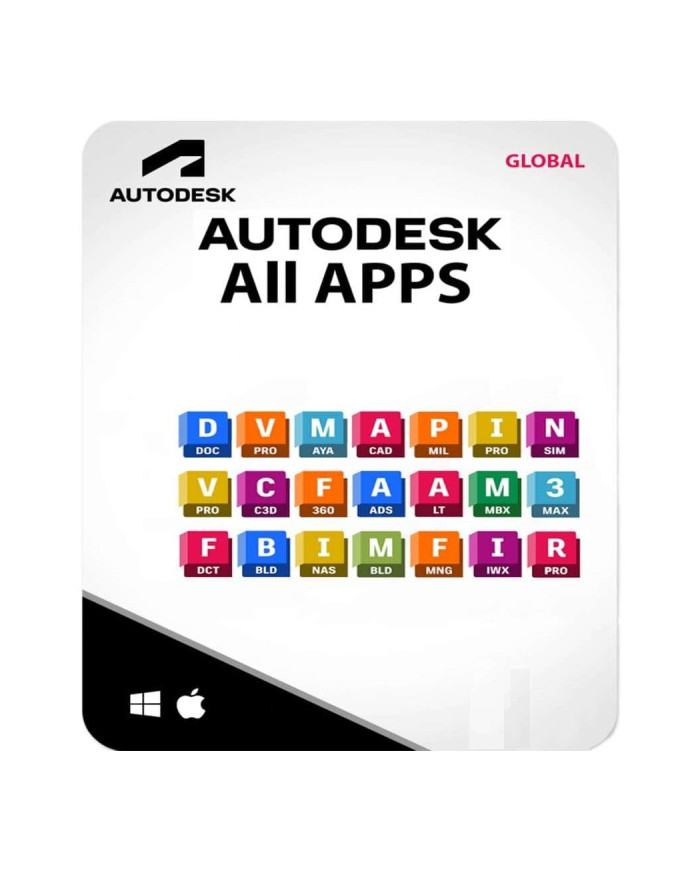
Autodesk All Apps (All applications) Win/Mac - 1 Year - Private account
Package Autodesk All Apps is a complete set of professional design tools offering access to all Autodesk applications essential for a wide range of specialists: architects, engineers, designers, as well as professionals in multimedia and entertainment industries. With this subscription, the user gains full access to advanced applications such as AutoCAD, Revit, 3ds Max, Maya, Fusion 360, Inventor, and many others. Each application has its unique uses and benefits, and their combined use allows creating projects at the highest levels of precision and advancement. Owning all Autodesk tools provides a comprehensive solution for any professional who needs access to diverse but complementary functions.
Product specification:
✔️ ✔️ Compatibility: Works on Windows 7, 8.1, 10, 11 (all versions), macOS, Browser.✔️ Validity period: License valid for 1 year (+/- a few days) from activation.✔️ Self-activation: Requires creating an Autodesk account to activate the product.✔️ Interface language: Supports English, Polish, and other languages.✔️ Updates: Full access to updates throughout the license period.✔️ System compatibility: Supports 32-bit and 64-bit systems.✔️ License type: ESD (Electronic Software Delivery).✔️ Number of seats: 1 workstation.: Works on Windows 7, 8.1, 10, 11 (all versions), macOS, Browser.
✔️ Validity period: License valid for 1 year (+/- a few days) from activation.
✔️ Self-activation: Requires creating an Autodesk account to activate the product.
✔️ Interface language: Supports English, Polish and other languages.
✔️ Updates: Full access to updates throughout the license period.
✔️ System compatibility: Supports 32-bit and 64-bit.
✔️ License type: ESD (Electronic Software Delivery).
✔️ Number of seats: 1 seat workstation.
You receive an invitation by email with an active subscription, create an account, and accept access to the applications.
You install selected applications, limit per purchase up to 5 selected applications.
Features and system requirements
The AutoDesk All APS Package works on a wide range of operating systems such as Windows 7, 8.1, 10, 11, and macOS (macOS version is not available for all products, available for AutoCad LT). The license is valid for 1 year from activation, providing access to the latest updates and patches throughout this period, price lower due to license type: Edu works on a wide range of operating systems such as Windows 7, 8.1, 10, 11 and macOS (macOS version is not available for all products, available for AutoCad LT). The license is valid for 1 year from activation, providing access to the latest updates and patches throughout this period, price lower due to license type: Edu
Information about available applications:
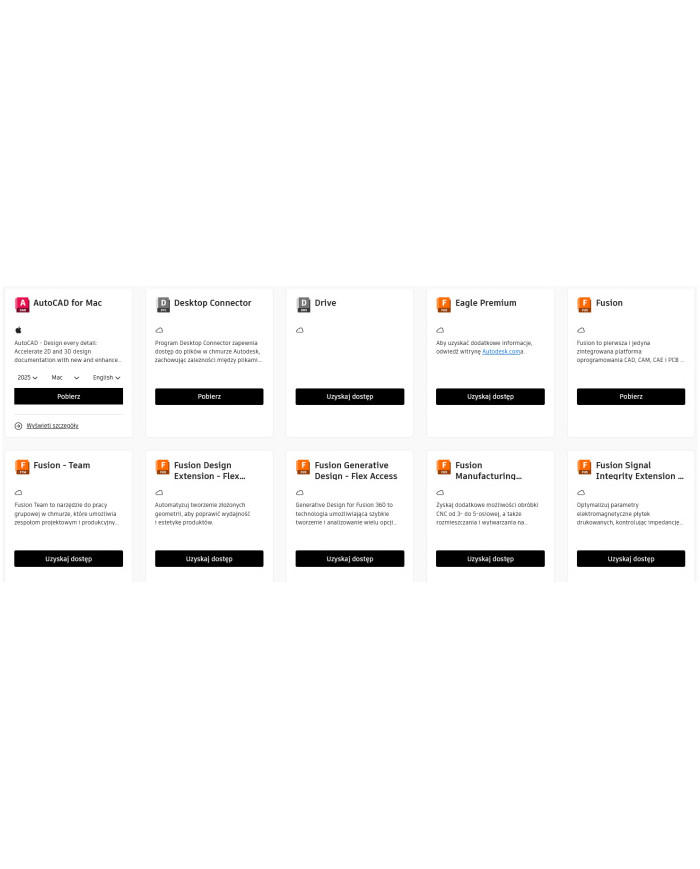
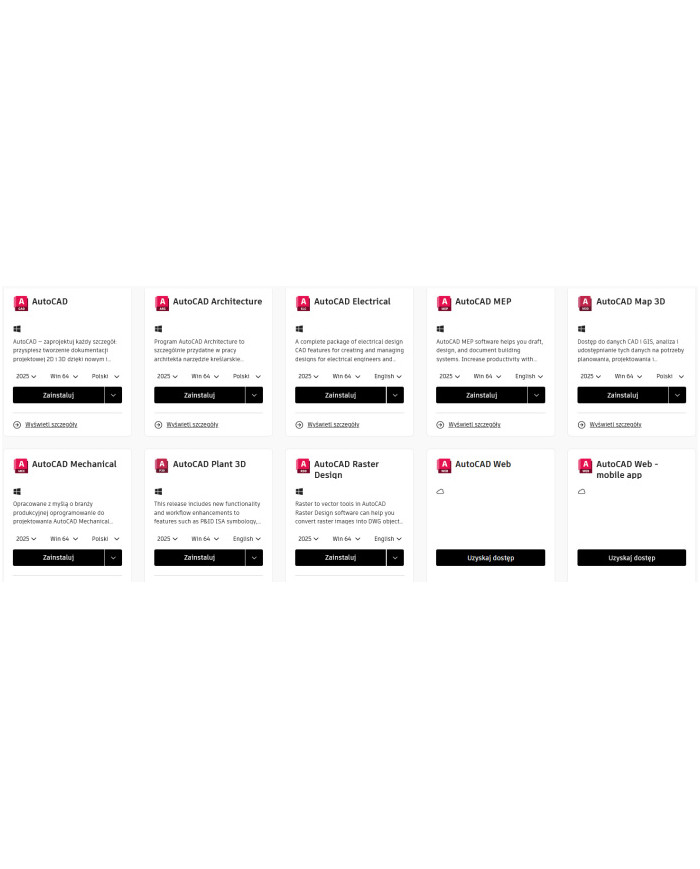
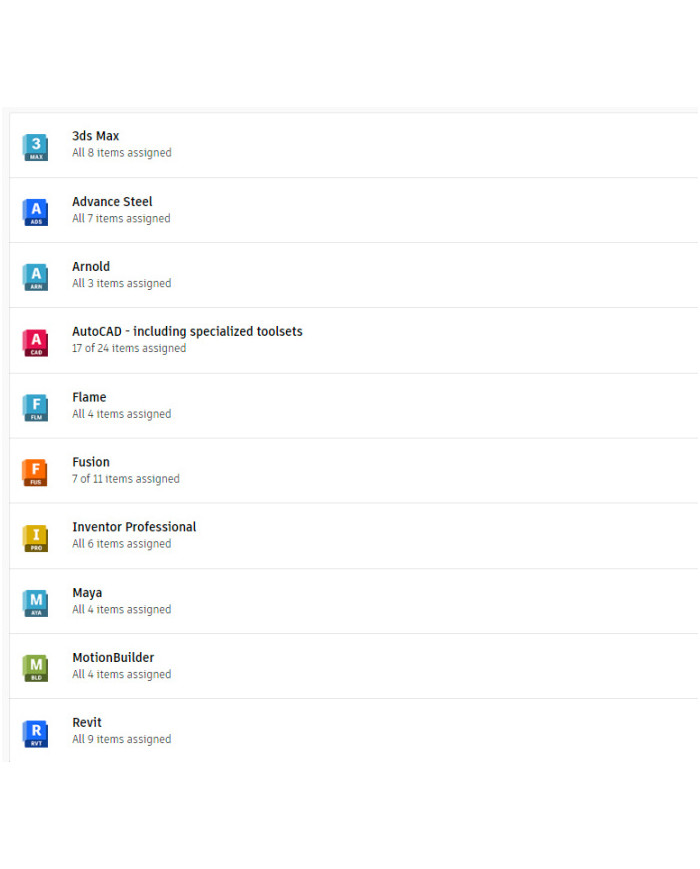
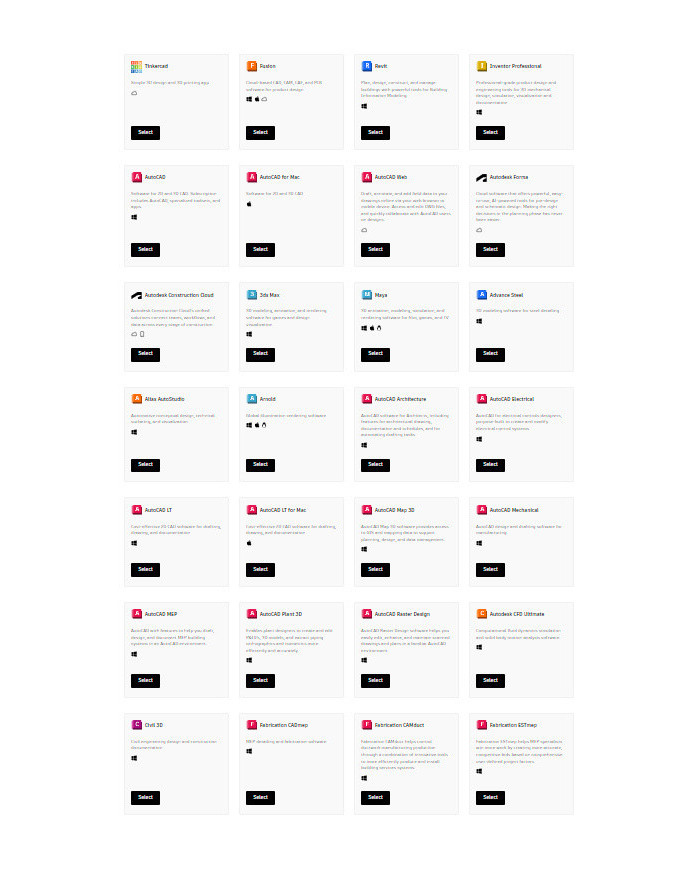
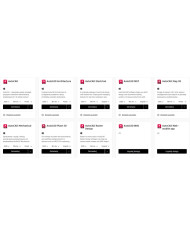
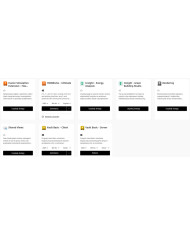
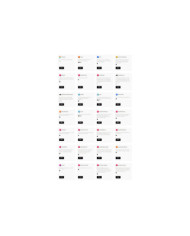
The full list of applications is available in the gallery, information:
- Supported version with option to select e.g. 2025, 2024, 2020
- Supported system e.g. Win64 - Windows, Mac - macOS
- Access - Browser version
- Language: Polish (if Polish supported), English (if Polish not supported)
Full version information:
![Autodesk-All-Apps-Wszystkie-aplikacje-WinMac-2-LATA-Prywatne-konto_[2581]_696.jpg](/img/cms/Autodesk-All-Apps-Wszystkie-aplikacje-WinMac-2-LATA-Prywatne-konto_%5B2581%5D_696.jpg)
![Autodesk-All-Apps-Wszystkie-aplikacje-WinMac-2-LATA-Prywatne-konto_[2580]_696.jpg](/img/cms/Autodesk-All-Apps-Wszystkie-aplikacje-WinMac-2-LATA-Prywatne-konto_%5B2580%5D_696.jpg)
![Autodesk-All-Apps-Wszystkie-aplikacje-WinMac-2-LATA-Prywatne-konto_[2579]_696.jpg](/img/cms/Autodesk-All-Apps-Wszystkie-aplikacje-WinMac-2-LATA-Prywatne-konto_%5B2579%5D_696.jpg)
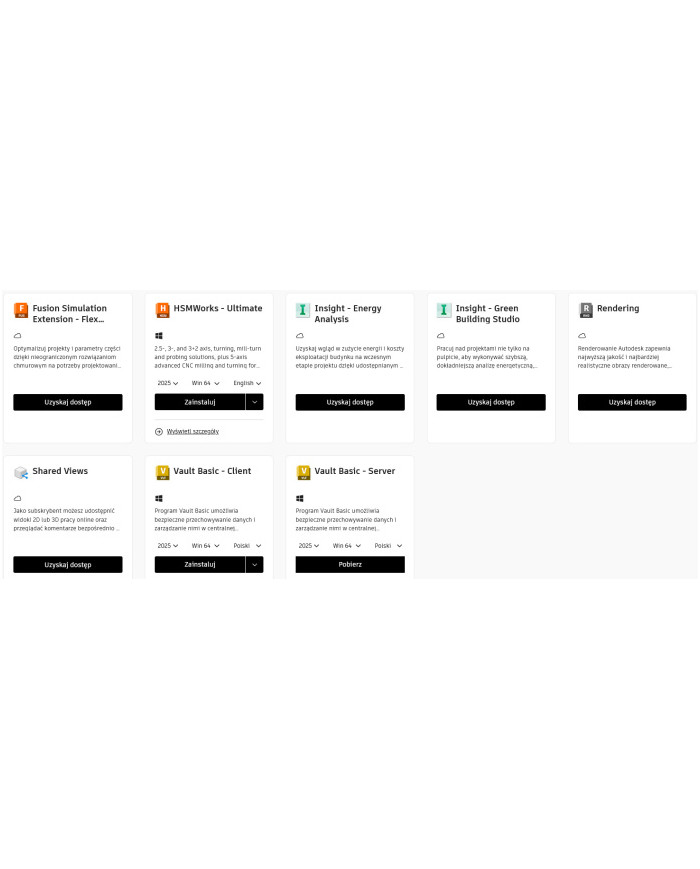
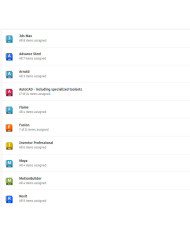
Additional applications list:
![Autodesk-All-Apps-Wszystkie-aplikacje-WinMac-2-LATA-Prywatne-konto_[2582]_696.jpg](/img/cms/Autodesk-All-Apps-Wszystkie-aplikacje-WinMac-2-LATA-Prywatne-konto_%5B2582%5D_696.jpg)
It is possible to add additional applications.
Applications available in Autodesk:
Tinkercad – A simple 3D design and 3D printing application, ideal for beginner designers and students. Allows quick creation of 3D models which can then be printed on a 3D printer.
Fusion 360 – Comprehensive CAD/CAM/CAE and PCB software operating in the cloud, intended for product design. Fusion 360 is preferred by professionals in manufacturing and engineering industries due to real-time collaboration capabilities on projects.
Revit – BIM (Building Information Modeling) tool used for planning, designing, and managing construction projects. Enables collaboration on architectural, structural, and engineering projects, ensuring precision and efficiency at every construction stage.
Inventor Professional – Advanced product design and engineering simulation tool, allows creation of documentation and visualization of mechanical projects. Ideal for machine designers and constructors.
AutoCAD – Popular CAD software for 2D and 3D design, offering a set of tools for creating precise technical drawings and documentation. Subscription grants access to AutoCAD and specialized toolsets, as well as mobile and web applications.
AutoCAD Web – Web version of AutoCAD, enabling drawing, annotating, and editing DWG files from anywhere, on web browsers and mobile devices. Ideal for collaboration and quick project access.
Autodesk Forma – Cloud-based software providing AI-supported tools for preliminary and conceptual design. Assists decision-making in the planning phase of construction projects, enhancing efficiency and accuracy.
Autodesk Construction Cloud – Unified solution for construction project management, connecting teams, workflows, and data at every stage of construction. Supports better communication and organization in construction projects.
3ds Max – Software for 3D modeling, animation, and rendering, mainly used in gaming and architectural visualization industries. Provides tools for creating realistic textures and lighting effects.
Maya – Professional tool for 3D animation, modeling, and rendering, used in the film, game, and television industries. Offers extensive capabilities for creating realistic animations and models.
Advance Steel – Tool for designing steel structure details, enabling precise modeling and documenting steel construction projects. Supports engineers and designers in completing complex structures.
Alias AutoStudio – Application intended for conceptual, technical design and visualization in the automotive industry. Used for modeling car surfaces and creating detailed visual designs.
Arnold – World-class rendering engine enabling creation of realistic lighting and texture effects. Popular in the film industry for generating high-quality images.
AutoCAD Architecture – Specialized AutoCAD version tailored for architects, containing features supporting architectural documentation creation and drawing automation.
AutoCAD Electrical – AutoCAD tool dedicated to electrical system designers, with functions for creating and modifying electrical control systems. Facilitates creation of electrical schematics and project documentation.
AutoCAD LT – Economic CAD solution for creating 2D drawings and documentation. An excellent choice for companies needing efficient 2D design software without 3D capabilities.
Civil 3D – Software for civil engineering, enabling design and documentation of infrastructure projects. Used for designing roads, sewer networks, and other infrastructure projects.
Navisworks Manage – Tool supporting coordination of construction projects, enabling integration, analysis, and communication of projects. Helps detect collisions and resolve conflicts at the design stage.
Vault Professional – Product data management system supporting distributed teams working on projects, with multi-CAD collaboration capabilities and enterprise integration.
InfraWorks – Geotechnical and BIM platform used for planning, design, and analysis in infrastructure projects, especially useful for urban planning and road projects.
Robot Structural Analysis Professional – Advanced structural analysis tool integrated with BIM, supporting project compliance verification with building standards.
VRED Professional – Software for virtual prototyping, used in automotive design to create 3D visualizations allowing realistic rendering of project details and colors.
Mudbox – Tool for digital 3D sculpting and painting, enabling creation of complex models and realistic textures of characters and objects. Ideal for artists and animators working on detailed 3D models.
Flame – Advanced tool for visual effects, compositing, color management, and 3D graphics. Mainly used by professionals in the film industry to create complex special effects.
Point Layout – Software for creating construction layouts, requiring applications like AutoCAD, Revit or Navisworks, supporting construction processes and ensuring measurement accuracy.
Each of these applications has specific uses and supports various industries from mechanical design, through construction, to animation and special effects. By combining them all, the user gains a complete set of tools for working in CAD, BIM environments and for visualization and simulation.
![Autodesk-All-Apps-Wszystkie-aplikacje-WinMac-1-ROK-Prywatne-konto_[2578]_696.jpg](/img/cms/Autodesk-All-Apps-Wszystkie-aplikacje-WinMac-1-ROK-Prywatne-konto_%5B2578%5D_696.jpg)
Autodesk All Apps - Full Access to Autodesk Software on Windows and Mac
With an Autodesk All Apps license, you gain full flexibility to work on both Windows and macOS systems, as well as access to applications running in web browsers. You can use advanced 3D modeling capabilities in AutoCAD, create realistic animations in Maya, or manage project documentation in Revit. Access to over 50 Autodesk applications prepares the user for any challenge—from infrastructure and architecture design through mechanical engineering to creating special effects and 3D animations at film-level quality. Autodesk All Apps is one of the most versatile solutions on the market, enabling the realization of even the most complex projects.
What You Gain with Autodesk All Apps? Versatility, Updates, and Technical Support
With the Autodesk All Apps package, the user receives a 2-year license that ensures full access to updates and new features introduced by Autodesk. This way, you will always be up to date with the latest technologies supporting your design work. Autodesk regularly improves its software, introducing new features and fixes that enhance work efficiency and application capabilities. Moreover, Autodesk All Apps also provides access to technical support, helping resolve any issues and make the most of the offered tools.
Who Is the Autodesk All Apps Package For? The Perfect Solution for Professionals
Autodesk All Apps is a license for professionals who value the ability to work on one of the most advanced design toolsets on the market. With comprehensive CAD, CAM, BIM, CAE features and advanced tools for animation and 3D visualization, Autodesk All Apps is ideal for:
- Architects and interior designers – programs like AutoCAD, Revit, or Autodesk Forma support creating building and interior designs, as well as structural analysis and planning.
- Construction and infrastructure engineers – Civil 3D and InfraWorks allow precise design of roads, bridges, and sewer networks.
- Mechanical designers – Fusion 360 and Inventor provide tools for designing machine parts and simulations, invaluable for the manufacturing industry.
- Specialists in special effects and animation – Maya, 3ds Max, and Arnold are essential tools for creating realistic effects, animations, and visualizations, used in the film and video game industries.
Benefits of Choosing Autodesk All Apps – Versatility, Flexibility, and Savings
Using Autodesk All Apps is not only full access to the most advanced design tools but also savings and flexibility. With one subscription, you can use all Autodesk applications instead of purchasing them separately, which is a much more economical solution. You can easily switch between applications, which is especially useful when a project requires using several tools simultaneously. License type: EDU
Frequently Asked Questions (FAQ)
What does the Autodesk All Apps license include and which applications are available in the package?
The Autodesk All Apps license provides full access to all Autodesk applications such as AutoCAD, Revit, Fusion 360, Maya, 3ds Max, Inventor, and many others. This includes over 50 programs enabling design, modeling, animation, simulation, and documentation across various industries.
Is Autodesk All Apps available on Mac and Windows?
Yes, most Autodesk applications run on Windows and macOS systems. Some of them are also available in a web version, such as AutoCAD Web, which provides additional flexibility in using the software.
What are the system requirements for the Autodesk All Apps package?
System requirements depend on individual programs, but generally most Autodesk applications run on Windows 7, 8.1, 10, 11, and macOS. Programs like AutoCAD and Fusion 360 have versions for both 32-bit and 64-bit systems.
Can I use the Autodesk All Apps license on multiple devices?
Yes, the Autodesk All Apps license allows one account to be used on multiple devices. However, you can only be logged in on one workstation at a time, which means you need to log out from one device before logging in on another.
Are updates available during the license period?
Yes, the Autodesk All Apps license includes full access to updates throughout the license validity period. This allows the user to use the latest features and fixes for the applications.
What is the activation process for the Autodesk All Apps license?
Activation requires creating a private Autodesk account or logging into an existing account. After activation, the license is valid for a specified time, providing access to all features and updates offered by Autodesk.
Does the Autodesk All Apps package include technical support?
Yes, purchasing the Autodesk All Apps license includes access to Autodesk technical support. Users can take advantage of technical assistance, tutorials, forums, and online documentation to solve problems and make the most of the available tools.
What are the most common uses of the Autodesk All Apps package?
The Autodesk All Apps package is widely used in many industries: from architecture and engineering (AutoCAD, Revit, Civil 3D) through manufacturing and mechanical design (Fusion 360, Inventor), to the entertainment and media industry (Maya, 3ds Max). These tools support both conceptual design and production.
Are educational versions available for the Autodesk All Apps package?
Yes, Autodesk offers educational versions for students, teachers, and academic institutions. These versions are free and provide full access to all features, but the license is for educational use only, with no commercial application allowed.
- Can the Autodesk All Apps license be transferred to another account?
Autodesk All Apps licenses are assigned to a specific user account and generally are not transferable to another account.

 Polski