
 Polski

How to make a movie from photos? Editing programs for beginners and advanced users
- 20 Oct, 2023
- Lista blogów
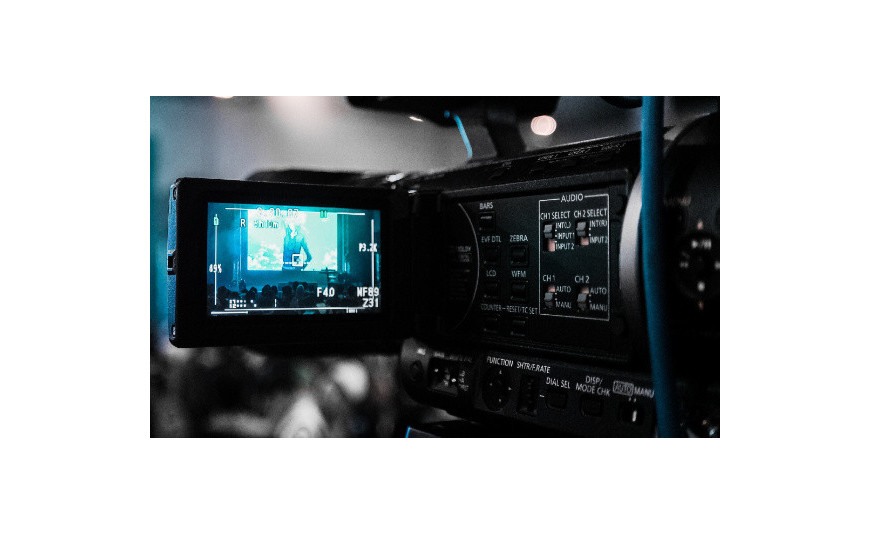
Taking photos and videos can be a passion or a way to earn money, which is why many people eagerly deepen their knowledge about editing and montage and ask themselves: how to make a movie from photos? It turns out that it is not difficult. It only requires the right software, which you can even access completely for free.
Is it possible to make a movie from photos?
Creating a movie from photos is possible. It may seem somewhat complicated, but in reality, it is a very simple and one of the basic forms of animation. How is it done? You just need to create a presentation from photos (arrange them in the right order to present a specific story or content), enrich it with effects that interest you (including animations, captions, or sound), and then generate the whole.
Creating this type of file works excellently in many different fields. A movie from photos can be promotional material (of a product, service, social media profile, but also an educational or medical institution), a gift for a loved one, or a form of training material. Therefore, it is worth finding out how you can generate it – regardless of your skills in graphic editing.
Photo movie making software – 3 free options perfect for beginners and more
Is photo editing or simple film montage your passion? Are you just starting to get interested in the topic and wondering which photo movie making software to choose so that it is not expensive and at the same time fulfills its function? Discover 3 interesting options that are ideal for beginners but will also work for those who have been passionate about editing and multimedia processing for a bit longer.
1. Canva
Canva is photo movie making software and more. It is one of the basic and widely used graphic tools nowadays. In Canva, you can design invitations, place cards, leaflets, and much more.
In the context of making videos from photos, the tool performs excellently with, among other things:
- efficient photo uploading,
- adding text to the video,
- weaving animations into the content that add appeal to the film,
- adding soundtracks,
- editing uploaded files and adjusting video parameters to individual needs.
If you have no video editing experience yet, Canva will work perfectly for you. It contains many ready-to-use templates that are intuitive and allow you to create various materials (e.g., for social media or loved ones) without specialized preparation.
2. InShot
InShot is used for photo and video editing. It allows trimming, rotating, applying filters, and also adding soundtracks to files – the soundtrack can be synchronized with the image in just a few steps.
The tool lets you add text and emojis to created videos. You can generate a photo sequence that will create a movie in high resolution and then immediately share it on your social media channels, saving time.
3. Lumyer Magic Photo Animator
Such photo movie making software offers many possibilities. Users have access to over 200 effects – photographic filters and realistic animations. The tool is exceptionally simple and enjoyable to use. This is mainly because it gives the user the possibility to observe in real-time how specific features change the edited file.
The finished video can be generated as a GIF file via the export function. You can share this option on your chosen social media channel or save it in your private files.
Canva, InShot, and Lumyer Magic Photo Animator are simple yet effective tools. By using them, you will learn how to make a movie from photos. You will also be able to develop your skills in graphic editing because they are easy to use and intuitive, while offering users many possibilities. They are an excellent choice at the start of your adventure with photo and video editing, but they can also accompany you when you have already developed your skills.
Photo movie software – 3 options that offer many possibilities also for advanced users
If you have been involved in graphic editing or montage for a long time and are looking for tools to create a professionally looking photo movie? The following tools will be excellent options for you. They offer many editing possibilities, and their parameters make them popular among both amateurs and professionals.
1. Windows Movie Maker
Windows Movie Maker is a seemingly simple tool that actually has a lot to offer. Photo movie software allows creating videos with a music background. You can additionally enrich each file with many interesting effects: animations, transitions, or captions.
You can upload your own audio files – music or voice recordings. To add photos, just drag the files to the right place. Later, you can change their order and adjust the effects to specific moments in the film.
If you want Windows Movie Maker to operate efficiently on your device, invest in Windows 10 system, which you can find at the Key-Soft store. This way, you will gain access to a complex operating system adapted to modern technologies, as well as an intuitive tool that will streamline the operation of graphic programs. |
2. Movavi Video Editor
Creating movies from photos in Movavi Video Editor is simple but offers many possibilities. Above all, working in this program is very efficient – mainly due to the intuitive arrangement of individual tools and the fact that the user has access to many functions that facilitate tool operation.
In Movavi Video Editor, you can immediately add a photo sequence as a slideshow to create a movie. This saves time that would be required to add each file separately. The tool also allows adding soundtracks, animations, filters, or captions. You can efficiently share the created presentation on social media channels by adjusting the file settings to the requirements of a specific platform.
3. BeeCut
BeeCut is a tool that is easy to use but allows you to professionally edit files. Photo movie software enables cropping content, adding soundtracks and filters to files, pasting texts, enriching content with special effects, setting the display time of specific images in the presentation, and much more. You can add files, photos, or music to the program individually or as an entire folder, which will significantly facilitate your work and speed up video editing.
The program is exceptionally easy to use and offers many possibilities related to its use. It will allow you to create videos as memories but also professional content for clients or employers. It is worth getting to know the individual features available in BeeCut and learning to fully use what it offers its users.
Wondering which photo movie making software to choose to meet your expectations? Each of the above options deserves attention because they offer many possibilities to both beginners and advanced editors or graphic designers. It is worth testing several of them to select one fully tailored to your needs that will allow easy file editing at the level you expect.
Creating movies from photos is a useful skill for anyone who wants to share their life on social media, create creative gifts for loved ones, or develop in marketing. To acquire and develop it, it is worth using available programs and tools. This way, you will be able to decide which features are most important to you and find a tool perfectly tailored to your needs.






