Polski

Office 365 Pro Plus ACCOUNT - How to activate the package - Instructions
- 03 Sep, 2024
- Lista blogów

Thank you for purchasing Office 365 Pro Plus Account:
(Format: Login/Password)
E.g. Login: [email protected] Password: Hfav1257
Website:
https://login.microsoftonline.com/
The account will not be detected if using the LIVE site (Sometimes redirected incorrectly from office.com)
You cannot use your own account, you must use the purchased one.
Windows / MacOs instructions:
1. Log in to the account via the website https://login.microsoftonline.com/
2. Change the password one-time to your own.
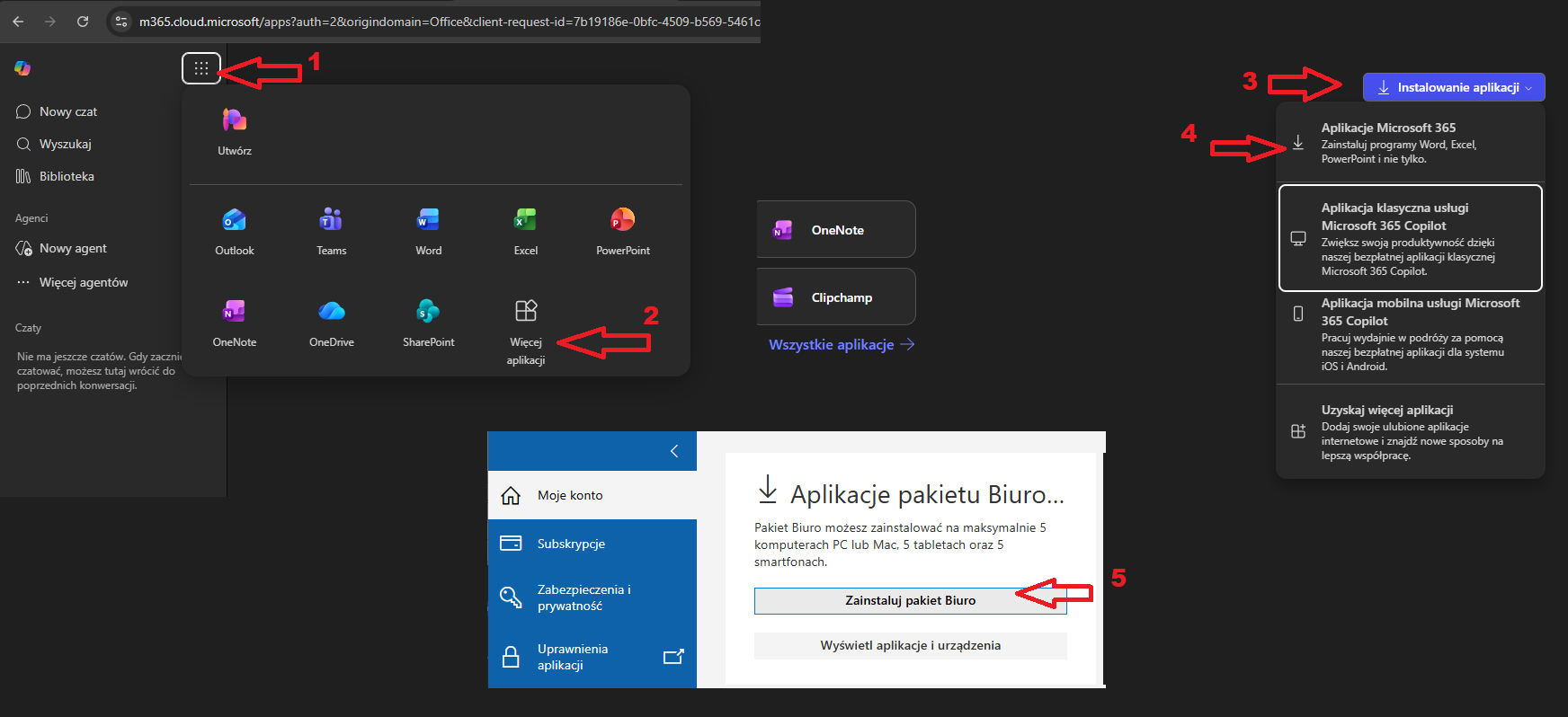
3. To install the package, select "Apps" on the left and "Install Office package". Install Office package ".
4. Install the downloaded package and log in to the purchased account in the app e.g. Word to activate the package.
5. After logging in to the app restart the app e.g. Word to activate the package.
Installation instructions for mobile devices iOS, Android:
1. Log in to the account via the website https://login.microsoftonline.com/
2. Change the one-time password to your own.
3. Download the app from the App Store or Google Store, e.g. Word, PowerPoint, Excel.
4. Log in to the account in the app.
Note! Purchased account does not activate Office 2019, 2016 packages etc.
The account allows activation ONLY of the Office 365 package.
The first password change is required, password cannot be changed again.
Additional information:
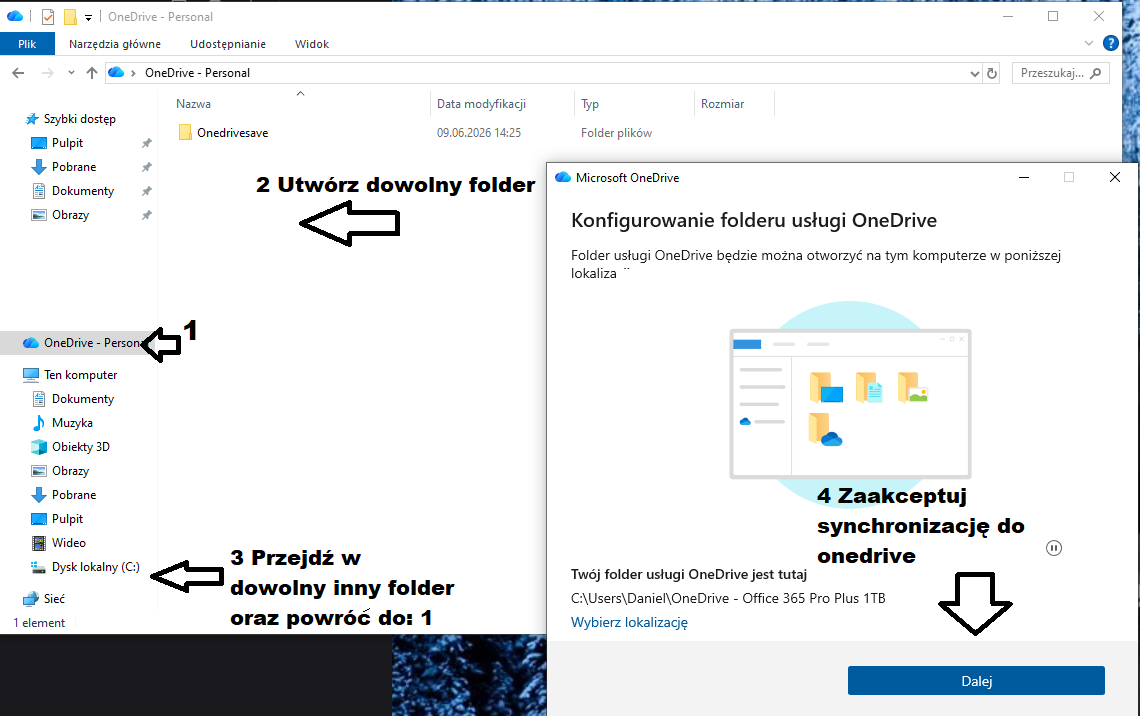
It is recommended to share the OneDrive folder to ensure data is not lost. (Right-click / share via OneDrive)
You cannot create your own account, you must use the purchased account to activate the package!
The package can be used in the browser (Not recommended).
Instructions to enable folder synchronization/sharing (Data backup in case of account failure):