
 Polski

Windows 10 or Windows 11? Is it worth switching to the new system in 2025?
- 02 Jan, 2025
- Lista blogów
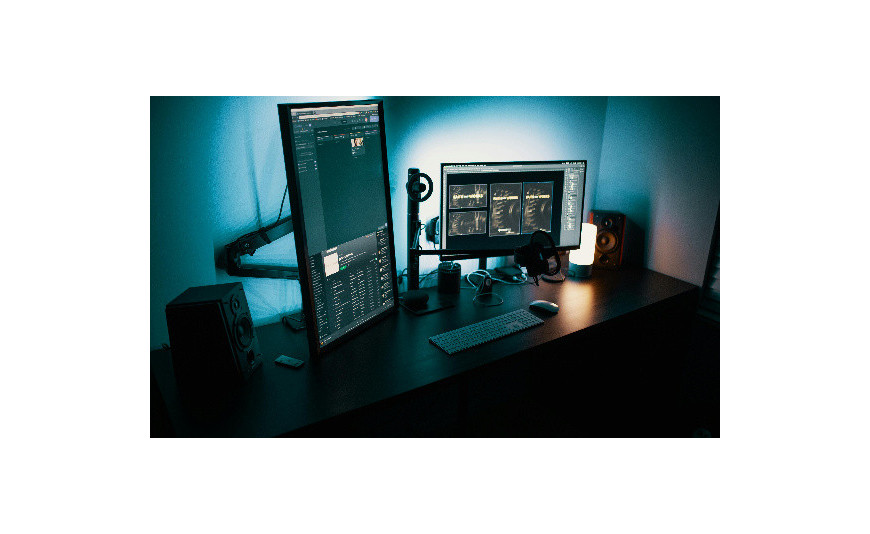
In October 2025, Microsoft will end support for Windows 10. What does this mean for you? Your computer will continue to work, but without security updates it will become vulnerable to attacks, so it's worth considering now whether to stick with the older system or choose Windows 11. Learn the differences between the systems and make the right decision before it's too late.
Windows 10 or 11 – time to decide
October 14, 2025 – this is the date Microsoft has set as the end of support for Windows 10. translated text:"After this day, you will no longer receive any updates or new features. Your computer will still turn on as usual, but you will be more vulnerable to hacker attacks."
translated text:"Do you need to rush to install Windows 11? Fortunately, no. You have until October to plan everything calmly. The new version of the system runs more efficiently and securely, but it also requires stronger hardware."
translated text:"What about your favorite programs? Microsoft has ensured that almost all applications from" Windows 10 działały też na nowszej wersji. Zanim jednak zdecydujesz się na zmianę, upewnij się, że Twój komputer spełnia techniczne wymagania Windows 11. Nie każde urządzenie poradzi sobie z nowym systemem.
Windows 10 vs Windows 11 – wymagania techniczne
Wondering if your computer can handle Windows 11? Microsoft nieco podniósł poprzeczkę w porównaniu do „dziesiątki”. Oto czego potrzebujesz:
- processor 1 GHz with at least 2 cores (64-bit);
- 4 GB RAM;
- 64 GB disk space;
- graphics card compatible with DirectX 12;
- HD display (720p).
Windows 11 introduced a mandatory TPM 2.0 module requirement – the system responsible for system security. In the older version of Windows, it was an additional option, but now it has become essential. Fortunately, TPM can be found in most computers manufactured after 2018.
How to check if your computer is ready for Windows 11? Microsoft has prepared the PC Health Check tool, which will immediately indicate which parts of your equipment need to be updated.
Spokojnie – jeśli Twój komputer nie przejdzie testu zgodności, masz czas do października na to, by kupić nowy lub ulepszyć obecny.
Windows 11 vs 10 – nowy interfejs
First contact with Windows 11 may surprise you. The Start menu and program icons have moved from their traditional place on the left side to the center of the taskbar. All windows now have rounded corners. On the taskbar, you will also find widgets that you can customize according to your preferences, including:
- kalendarz z nadchodzącymi wydarzeniami;
- aktualna pogoda w Twojej lokalizacji;
- stock quotes;
- personalizowane wiadomości;
- zdjęcia z OneDrive.
In place of the classic ribbon in File Explorer, a new, simplified interface with the most important options has appeared. The buttons are larger and more legible, which you will especially appreciate on touch screens.
Microsoft has also improved integration with applications. Teams now works directly from the taskbar, and the revamped Microsoft Store makes it easier to find programs. The system handles multiple monitors more efficiently – primarily remembering window layouts for different display configurations.
Windows 11 – is it worth it?
Will Windows 11 really improve your daily work? The new system introduces a number of changes that you will especially notice while gaming and working remotely.
In games, Windows 11 and Windows 10 perform similarly. Thanks to DirectStorage, games load lightning-fast because the SSD works directly with the graphics card. Meanwhile, Auto HDR makes old titles gain more vivid and more realistic colors. You will find these features both in the older and newer versions of the system – in 'eleven' they are simply enabled by default and better optimized.
After integrating Teams with the system, you can manage conversations directly from the taskbar, without additional apps. When working on a laptop, the system will remember the window layout and automatically restore it when connecting an external monitor.
With the new Snap Layouts, you can quickly split the screen between several applications. When you hover over the maximize button, you will see ready-made templates. This is especially useful when:
- you work with many documents;
- porównujesz dane;
- oglądasz transmisję podczas pracy;
- you copy content between programs;
- you check social media.
Windows 11 – opinions
How does Windows 11 perform more than three years after its release? Users confirm that the system runs stably, rarely crashes, and also starts up faster than "ten." Microsoft has optimized cooperation with the latest Intel Core processors, on which the system uses its full capabilities..
However, not everyone is thrilled with the new system. Most complaints concern the taskbar – it cannot be moved to the sides of the screen or have the icon size changed. Microsoft announced that it will restore these options in future updates, but so far it has not revealed a specific date for the fix.
Microsoft has thoroughly changed its app store. The new interface allows you to quickly find the needed programs, and thanks to cooperation with Amazon, mobile apps have also appeared in the store.
Windows 10 vs Windows 11 – security
Windows 11 introduced many changes in security. The most important is the TPM 2.0 module, which encrypts data on the disk – even if the laptop is stolen, no one will be able to access it.
Besides that, the new system handles viruses better. When you try to install something from outside the official store, it first checks if the program is safe. Suspicious applications are immediately blocked.
Security patches now install in the background – you can work peacefully while the system takes care of updates on its own. This is a big change compared to the older version of Windows, where you often had to interrupt your work and restart the computer.
With updates, Microsoft has also improved Windows Hello, which better handles face and fingerprint recognition. Cooperation with TPM further makes it harder to fool the system.
Currently, Microsoft is mainly focusing on developing Windows 11. In less than a year, support for "Ten" will end, and only the newer version will receive security updates.
Windows 10 or 11 – time to decide
If your computer is less than 4-5 years old, it will likely handle Windows 11 without any problems. The system runs smoothly on Intel Core 8th generation and newer processors, as well as AMD Ryzen 2000 and later.
Also remember about the software – Windows 11 works best with the latest versions of the Office suite. You still have some time until the end of Windows 10 support in 2025, but it's worth preparing for the upcoming changes. So check out our offer of Windows 11 systems and Office suites!
FAQ – frequently asked questions
- Do I have to switch to Windows 11?
Technicznie nie musisz, ale po październiku 2025 Windows 10 przestanie otrzymywać aktualizacje bezpieczeństwa. A korzystanie z niechronionego systemu naraża Twoje dane na ataki hakerów.
- Co się stanie z moimi plikami i programami po przejściu na Windows 11?
During the update, all your files and most programs will remain in place. Microsoft has ensured backward compatibility of applications. Nevertheless, it is advisable to back up your data before changing the system.
- Czy mogę wrócić do Windows 10, jeśli Windows 11 mi nie odpowiada?
Tak, przez 10 dni od aktualizacji możesz bezproblemowo wrócić do Windows 10. Po tym czasie konieczna będzie czysta instalacja systemu.
- How much does it cost to switch to Windows 11?
Jeśli masz oryginalną licencję Windows 10, aktualizacja do Windows 11 jest bezpłatna. Musisz tylko sprawdzić, czy Twój sprzęt spełnia wymagania techniczne nowego systemu.
- Jak długo zajmuje instalacja Windows 11?
The installation process itself takes about an hour, depending on the speed of your computer and internet. It's worth reserving some extra time for system configuration and restoring personal settings.






