Polski

The 3-2-1 rule in practice. How to cheaply protect company data from failure and ransomware attack?
- 13 May, 2026
- Lista blogów
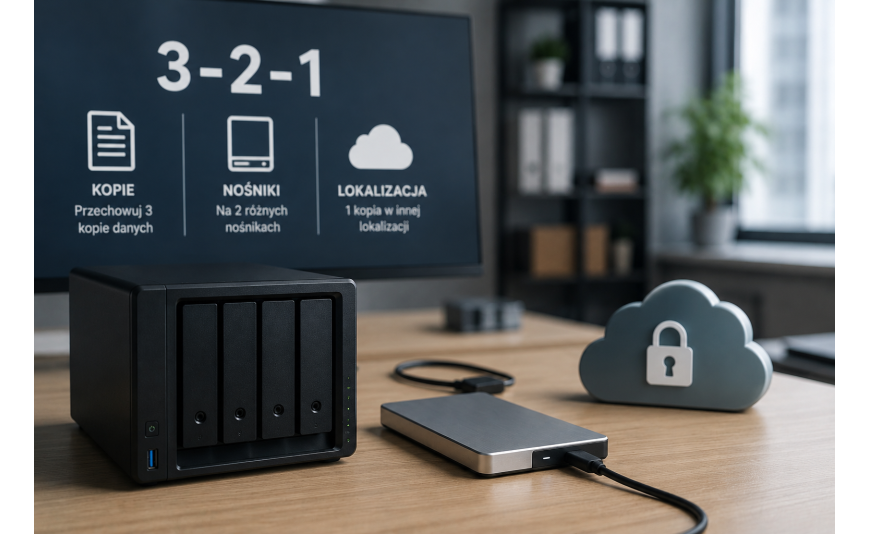
Most small businesses don’t think about data loss until it happens. And when it does – after a disk failure, ransomware attack, or employee error – it turns out that file recovery costs many times more than a proper backup. The 3-2-1 rule is a proven scheme used by both corporations and sole proprietorships. Implementing it doesn’t require a large budget.
What is the 3-2-1 rule?
Three copies of data, on two different media, with one copy off-site. Three copies mean the original and two backups. Two types of media eliminate the risk that one failure will destroy everything at once – a NAS drive and the cloud are two separate storage locations. The off-site copy protects against scenarios that destroy the entire location at once: fire, flooding, or equipment theft.
Working data and local copy – quick access in case of employee error
The first copy is the current working files. The second is a local backup used for fast data recovery in the most common situations: accidental file deletion, document overwriting, or workstation failure.
Windows has built-in tools for this that many companies don’t use at all – File History automatically saves successive versions of documents to an external drive or network resource, and Windows Server Backup allows the creation of full system images on a schedule. The local copy has one key advantage: speed of recovery. Restoring a deleted file takes minutes, not hours.
Off-site copy (cloud) – insurance in case of fire or theft
The third copy should be located off-site – and here the cloud is the cheapest method. OneDrive for Business, Google Drive, or Backblaze B2 allow automatic sending of backups without physically transporting the media.
The off-site copy should be independent of the local infrastructure. If the server, NAS, and cloud backup are connected to the same account, an attack may affect all three locations simultaneously.
Ransomware – why is synchronization (e.g. OneDrive) not enough?
Cloud synchronization is not the same as backup. When ransomware encrypts files on a computer, OneDrive in default configuration immediately syncs the encrypted versions to the cloud and overwrites the originals – the user loses data in both places at the same time.
Real cloud backup works differently: it saves data state at specific points and retains older versions for a set period. After an attack, you can simply revert to a copy from before the infection. It’s also good to keep one copy on an external drive that is only connected during backup and then disconnected from the network – ransomware can’t encrypt what it cannot see.
Automation – humans forget, the system remembers
Manually copying files to an external drive works for the first few weeks. Then employees start skipping it, leaving the company with a false sense of security. Automation eliminates this problem. In Windows, "Task Scheduler" allows backup scripts to run at night. Free tools like Veeam Agent for Windows or Macrium Reflect let you schedule full system images without any user intervention.
Recovery testing
Having copies is only half the success. The disk can fail, configurations can be incorrect, and backup files may be incomplete. Recovery testing should be done at least quarterly: just restore a random file to a test environment. Once a year, it’s worth performing a full system restore test on a virtual machine. The test will show exactly how long it takes for a company to resume work after a real attack.
How much does it cost to implement the 3-2-1 rule in a small company?
Basic implementation is cheaper than most entrepreneurs expect. A 2 TB external drive costs 250–400 PLN. Annual cloud backup subscription – 100–200 PLN. Automation software – in many cases free tools built into Windows.
The total cost of a basic 3-2-1 system is usually less than 600 PLN one-time. For comparison: data recovery after a ransomware attack by a specialist company costs from several to tens of thousands of PLN – with no guarantee of success. A company with the 3-2-1 rule implemented and a tested recovery procedure gets back to work within hours after an encryption attack. A company without backup measures that time in days.
It’s also worth remembering that legal system software – such as Windows 10 Pro or Windows 11 Pro available at key-soft.pl – is the foundation of a secure work environment. Only an activated system copy receives full security updates, without which no backup can compensate for vulnerabilities against malware.