Windows po zmianie płyty głównej – co z licencją?
- 26 Lu, 2026
- Lista blogów , Lista blogów , Lista blogów
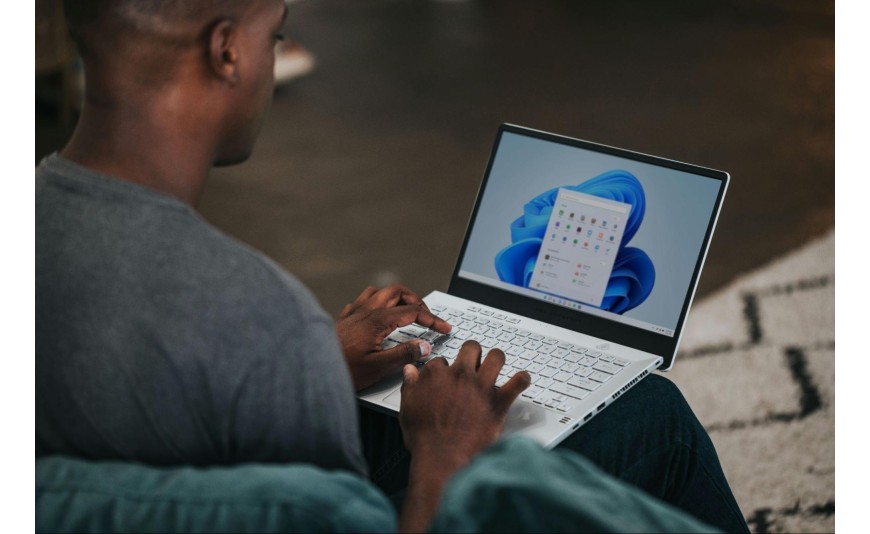
Wymieniłeś płytę główną i nagle Windows przestał być aktywowany? To sytuacja, która spotyka tysiące użytkowników rocznie. System operacyjny Microsoftu traktuje płytę główną jako podstawowy identyfikator sprzętu, dlatego jej wymiana często kończy się komunikatem o konieczności ponownej aktywacji. Zanim jednak zaczniesz panikować i szukać nowego klucza, warto wiedzieć, że przeniesienie licencji Windows na nowy sprzęt jest możliwe – choć nie zawsze i nie w przypadku każdego typu licencji. W tym poradniku wyjaśnię, jak działa powiązanie systemu z komponentami komputera, kiedy możesz zachować dotychczasową licencję, a kiedy lepiej zaopatrzyć się w nowy klucz aktywacyjny.
Dlaczego zmiana płyty głównej wpływa na licencję Windows?
Microsoft stosuje mechanizm identyfikacji sprzętowej, który tworzy unikalny „odcisk palca” Twojego komputera. Na ten cyfrowy identyfikator składa się wiele elementów, jednak płyta główna odgrywa w nim rolę nadrzędną. System operacyjny podczas aktywacji zapisuje informacje o podzespołach i przesyła je na serwery producenta, gdzie zostają powiązane z konkretnym kluczem produktu.
Gdy wymieniasz kartę graficzną, pamięć RAM czy nawet procesor, Windows zazwyczaj nie reaguje utratą aktywacji. Inaczej sprawa wygląda w przypadku płyty głównej – jej wymiana oznacza dla systemu zupełnie nowy komputer. Microsoft wprowadził takie zabezpieczenie, aby zapobiec nielegalnemu wykorzystywaniu jednej licencji na wielu maszynach. W praktyce licencja Windows a hardware to temat, który generuje mnóstwo pytań wśród użytkowników modernizujących swoje zestawy komputerowe.
Rodzaje licencji Windows i ich przenoszalność
Nie każda licencja Windows zachowuje się tak samo po wymianie podzespołów. Zanim podejmiesz jakiekolwiek działania, musisz ustalić, jaki typ licencji posiadasz. Od tego zależy, czy aktywacja Windows po zmianie komputera będzie możliwa bez dodatkowych kosztów.
Licencja OEM – przywiązana do sprzętu
Licencje OEM (Original Equipment Manufacturer) są najczęściej spotykane na komputerach kupowanych w sklepach jako gotowe zestawy. Producenci sprzętu nabywają je hurtowo od Microsoftu i instalują na swoich maszynach. Charakteryzują się one:
trwałym powiązaniem z pierwszą płytą główną, na której zostały aktywowane;
brakiem możliwości legalnego przeniesienia na inny komputer;
niższą ceną w porównaniu z licencjami detalicznymi;
ograniczonym wsparciem technicznym ze strony Microsoftu (odpowiedzialność spoczywa na producencie sprzętu).
Jeśli Twój Windows po wymianie sprzętu przestał działać, a masz licencję OEM, oficjalnie nie masz prawa przenieść jej na nową płytę główną. W takiej sytuacji konieczny będzie zakup nowego klucza aktywacyjnego.
Licencja detaliczna (Retail) – można ją przenosić
Licencje detaliczne, nazywane również pudełkowymi lub Retail, oferują znacznie większą elastyczność. Kupujesz je bezpośrednio jako produkt konsumencki i możesz instalować na różnych komputerach – pod warunkiem że system działa tylko na jednym urządzeniu w danym momencie. Przeniesienie licencji Windows w wersji Retail na nową płytę główną jest w pełni legalne i stosunkowo proste do przeprowadzenia.
Współczesne wersje Windows 10 i Windows 11 oferują możliwość powiązania licencji z kontem Microsoft. Jeśli przed wymianą płyty głównej połączyłeś swoją licencję z kontem, proces reaktywacji będzie znacznie prostszy. System automatycznie rozpozna Cię jako uprawnionego użytkownika i w wielu przypadkach sam przywróci aktywację po zalogowaniu na konto.
Reaktywacja Windows po wymianie płyty głównej – krok po kroku
Wymieniłeś już płytę główną i system wyświetla komunikat o braku aktywacji? Spokojnie – w wielu przypadkach możesz odzyskać licencję bez kupowania nowego klucza. Poniżej znajdziesz szczegółową instrukcję postępowania.
Metoda z użyciem narzędzia do rozwiązywania problemów
Windows 10 i Windows 11 posiadają wbudowane narzędzie do rozwiązywania problemów z aktywacją. Aby z niego skorzystać:
otwórz „Ustawienia” i przejdź do sekcji „System”;
wybierz zakładkę „Aktywacja”;
kliknij przycisk „Rozwiąż problemy”;
jeśli licencja była powiązana z kontem Microsoft, wybierz opcję „Niedawno zmieniono sprzęt na tym urządzeniu”;
zaloguj się na swoje konto Microsoft i wybierz komputer z listy urządzeń;
potwierdź, że to urządzenie, którego aktualnie używasz.
Ta metoda działa najlepiej w przypadku licencji cyfrowych powiązanych z kontem Microsoft. Jeśli przed wymianą płyty głównej zadbałeś o takie połączenie, aktywacja Windows po zmianie komputera powinna przebiec bezproblemowo.
Kiedy trzeba kupić nową licencję Windows?
Nie zawsze uda się zachować dotychczasową licencję. Istnieją sytuacje, w których jedynym wyjściem jest zakup nowego klucza aktywacyjnego. Dotyczy to przede wszystkim:
licencji OEM, które zgodnie z warunkami użytkowania nie podlegają przeniesieniu;
przypadków, gdy nie pamiętasz danych logowania do konta Microsoft;
sytuacji, gdy licencja była już wielokrotnie przenoszona i Microsoft odmawia kolejnej aktywacji;
komputerów firmowych z licencjami wolumenowymi zarządzanymi przez administratora.
Jeśli któryś z powyższych punktów dotyczy Twojej sytuacji, rozważ zakup nowej licencji. W sklepie Key-soft.pl znajdziesz tanie klucze Windows w różnych wersjach – od Windows 10 Home po Windows 11 Professional. Wszystkie licencje pochodzą z legalnych źródeł i zapewniają pełną funkcjonalność systemu.
Jak zabezpieczyć się przed utratą licencji w przyszłości?
Planując modernizację komputera, warto zawczasu przygotować się na ewentualne problemy z aktywacją. Kilka prostych kroków może zaoszczędzić Ci stresu i czasu w przyszłości.
Powiąż licencję z kontem Microsoft
To najprostszy sposób na zabezpieczenie swojej licencji. Przejdź do „Ustawień”, wybierz „System” i „Aktywacja”, a następnie dodaj konto Microsoft. Od tego momentu Twoja licencja Windows będzie powiązana nie tylko ze sprzętem, lecz także z Twoim kontem użytkownika. W razie wymiany podzespołów znacznie łatwiej będzie ją odzyskać.
Zachowaj klucz produktu
Jeśli kupowałeś system osobno, upewnij się, że masz zapisany oryginalny klucz produktu. Możesz go znaleźć na naklejce dołączonej do opakowania, w e-mailu potwierdzającym zakup lub wydobyć z systemu za pomocą specjalnych narzędzi. Klucz produktu to Twoje zabezpieczenie na wypadek problemów z aktywacją.
Rozważ zakup licencji Retail
Jeśli często modernizujesz komputer lub planujesz budowę nowego zestawu w przyszłości, licencja detaliczna będzie lepszym wyborem niż OEM. Choć kosztuje nieco więcej, daje pełną swobodę w zakresie przenoszenia licencji Windows między urządzeniami.
FAQ: zmiana sprzętu a licencja Windows – aktywacja po wymianie podzespołów i przenoszenie systemu
Czy wymiana procesora wymaga ponownej aktywacji Windows?
W większości przypadków wymiana samego procesora nie powoduje utraty aktywacji. System może poprosić o ponowną weryfikację, ale zazwyczaj proces przebiega automatycznie. Problem pojawia się głównie przy zmianie płyty głównej, ponieważ to właśnie ten komponent jest traktowany jako główny identyfikator sprzętu.
Ile razy mogę przenosić licencję Windows Retail?
Microsoft nie określa sztywnego limitu przeniesień licencji detalicznej (Retail). Warunek jest jeden – system może być aktywny tylko na jednym komputerze w danym momencie. Przed instalacją na nowym sprzęcie powinieneś odinstalować Windows ze starego urządzenia lub przynajmniej dezaktywować licencję.
Co zrobić, gdy automatyczna reaktywacja Windows nie działa?
Jeśli narzędzie do rozwiązywania problemów nie pomaga, skontaktuj się z pomocą techniczną Microsoftu. Możesz to zrobić telefonicznie lub przez czat na stronie producenta. Przygotuj się na podanie szczegółów dotyczących zakupu licencji oraz okoliczności wymiany sprzętu.
Czy Windows po wymianie sprzętu będzie działał bez aktywacji?
System będzie funkcjonował, ale z ograniczeniami. Pojawi się znak wodny przypominający o konieczności aktywacji, a niektóre funkcje personalizacji będą niedostępne. Ponadto w przyszłości mogą pojawić się dodatkowe ograniczenia dla nieaktywowanych kopii systemu.
Gdzie kupić legalny klucz Windows w dobrej cenie?
Jeśli potrzebujesz nowej licencji, odwiedź sklep Key-soft.pl. Oferujemy klucze Windows 10 i Windows 11 w konkurencyjnych cenach z natychmiastową dostawą elektroniczną oraz instrukcją aktywacji krok po kroku. Dzięki temu aktywacja Windows po zmianie komputera przebiegnie szybko i bezproblemowo.