

Legal Activation of Windows 10/11 – OEM vs. Retail and What It Means
- July 27, 2026
- List of blogs
- 0 Comments
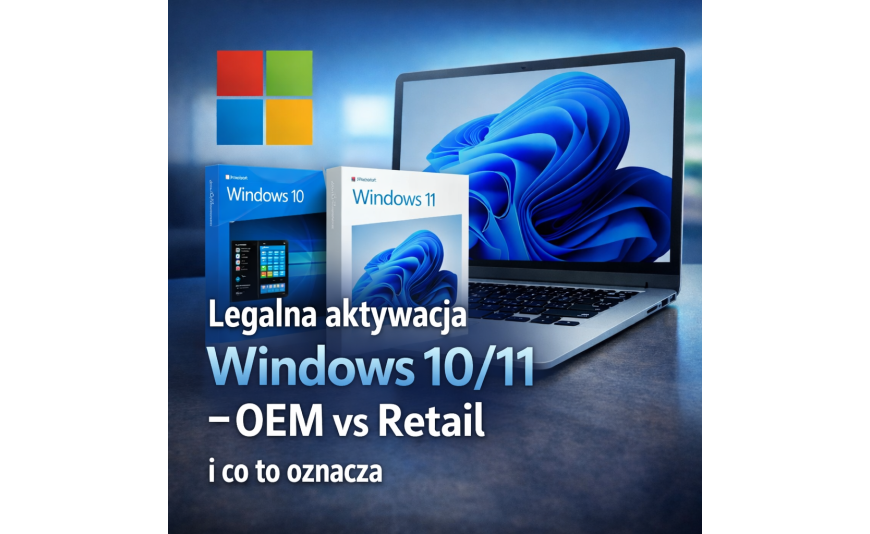
Legal Activation of Windows 10/11 – OEM vs. Retail and What It Means
Why does the OEM vs. Retail debate keep coming back like a boomerang?
There are a lot of misconceptions surrounding the Windows 10/11 licenses. Some say “everything works the same,” others claim that “one version is only for businesses,” and still others insist that “you can always transfer it.” The truth is more down-to-earth: the system’s features are identical, but the scope of usage rights differs, as does what the license is assigned to.
The main benefit of distinguishing between OEM and Retail versions is simple: when you know what you have (or what you’re choosing), it’s easier to plan for future hardware upgrades, reinstallations, and maintenance—and you’re less likely to be surprised by a message about mismatched licenses after a major computer overhaul. Microsoft describes these rules in its licensing documents and in support materials regarding restoring licenses after a hardware change.
OEM in a nutshell
An OEM license is intended for use on a specific device and is typically sold with the computer (or installed by the manufacturer). In practice, this means that once assigned to the hardware, it is permanently tied to that specific system—particularly to the motherboard, which serves as the device’s identifying component.
Retail in a nutshell
A Retail license is one that you purchase separately from a computer and that generally allows you to transfer it to another device, provided you are using it on only one computer at a time. Support for Retail versions is typically provided by Microsoft (unlike OEM versions, where support is provided by the device manufacturer).
What is it like in everyday use?
Below are some scenarios that will help you decide whether the OEM or Retail option is better for you in real life.
Replacing the hard drive, adding RAM, upgrading the graphics card
Upgrades like these usually don’t cause any issues, because they don’t change the device’s “identity” to the same extent as replacing the motherboard. In practice, you can safely reinstall the operating system on a new drive and restore the license—the only important thing is to install the same edition that was previously assigned to the device. If you encounter any issues, linking the digital license to your Microsoft account and using the troubleshooting tool can help.
What should you do before reinstalling?
- Sign in to your Microsoft account if you want an easier way to regain access after hardware changes.
- Check which edition you have (e.g., Home/Pro) so that you don’t end up with the wrong edition after installation.
Quick technical tip
If you prefer to have it confirmed "in black and white," you can view the license type in the system using administrative tools (e.g., slmgr). This is especially useful if the computer has been upgraded over the years and the sales receipts are missing.
Replacing the motherboard or "building a new PC"
This is when the differences between OEM and retail licenses are most noticeable. Microsoft notes that a significant hardware change (such as a motherboard) may prevent the system from finding a matching license—and if the license was preinstalled on the device, it may be necessary to purchase a new one.
When is Retail the safer choice?
- When you know that you replace your entire computer every 2–3 years or frequently upgrade your system (motherboard + processor).
- When you want to stay flexible while switching from a desktop computer to a laptop (or vice versa).
- When you want support directly from Microsoft.
When does OEM make sense?
- When you choose a pre-built computer and don't plan to replace the motherboard for the entire lifespan of the computer.
- When you want a "set it and forget it" solution in a single device, and any necessary service is handled by the manufacturer anyway.
"Digital credentials" and a Microsoft account—what do they actually offer?
For several years now, many setups have relied on so-called digital permissions linked to the hardware and, optionally, to a Microsoft account. This allows the system to automatically adjust permissions after a reinstallation on the same device, and if the permissions are linked to an account, you can use a troubleshooting tool following a major hardware change.
The most common myth: “Once I link my account, the OEM will become transferable”
Linking the account makes it easier to restore your license after repairs or component replacements, but it does not change the licensing terms—the OEM remains tied to the device.
OEM vs. Retail: Sales Documents and Verified Origin
In practice, peace of mind comes not only from the type of license itself, but also from the transparency of the transaction: a clear product description, a sales document, and information about exactly what you’re purchasing (OEM or Retail, which edition, and which distribution channel).
What should you look for when choosing an online offer?
Product description
It should clearly state the type of license (OEM/Retail) and its intended use: for a single device or transferable.
Sales document
For home users, it’s a matter of organization; for businesses, it’s often a requirement for billing and auditing.
An astronomical price
If something seems suspiciously cheap, treat it as a red flag: verify its source and terms instead of hoping that “it’ll work out somehow.”
A recommendation for Key-Soft.pl readers
At Key-Soft.pl, you receive a product key along with a sales receipt; before you click "Buy," make sure the option you've selected meets your needs, and it's a good idea to follow similar guidelines when choosing an Office suite.
FAQ: Quick Answers to Frequently Asked Questions
Do the system features differ between OEM and retail versions?
No. The difference concerns portability rights and who provides support.
Can I reinstall the operating system as many times as I want?
Generally speaking, yes, as long as you don’t violate the “one device/one installation at a time” rule and stick to the same edition assigned to your license.
What if I replaced the motherboard after it failed?
It depends on the type of license and the circumstances of the repair. In practice, after a major hardware change, you may need to use the troubleshooting tool, especially if the license is linked to a Microsoft account.
Summary: How to make an informed choice?
Choose an OEM license if the software is intended to remain on a single computer for its entire lifecycle. Choose a retail license if flexibility and the ability to transfer the software when upgrading hardware are important. The least stressful approach is to match the license type to your upgrade plans and keep your documentation organized.
Next step
If you're not sure what to choose, describe your situation (whether you're planning to replace the entire system or just the hard drive/RAM), and it will be easier to pick the right option.
Źródła (do weryfikacji redakcyjnej):
– Dokument Microsoft o zasadach licencji OEM/System Builder. :contentReference[oaicite:0]{index=0}
– Pomoc Microsoft dotycząca przywracania uprawnień po zmianie sprzętu i rozwiązywania problemów. :contentReference[oaicite:1]{index=1}
– Microsoft Learn: różnice OEM vs Retail (przenoszenie, wsparcie). :contentReference[oaicite:2]{index=2}






Add a comment Cancel reply